

Our Verdict
Dash-mounted screens offer real convenience when chosen and positioned thoughtfully — particularly for drivers who find phone navigation awkward or who need clearer, larger displays. However, the safety benefit depends almost entirely on how well the device is set up before the journey begins and how intuitive it is to operate without looking away from the road.
Drivers who want a dedicated, easy-to-read navigation display and are willing to take a few minutes to configure it before setting off.
What Dash-Mounted Screens Actually Do
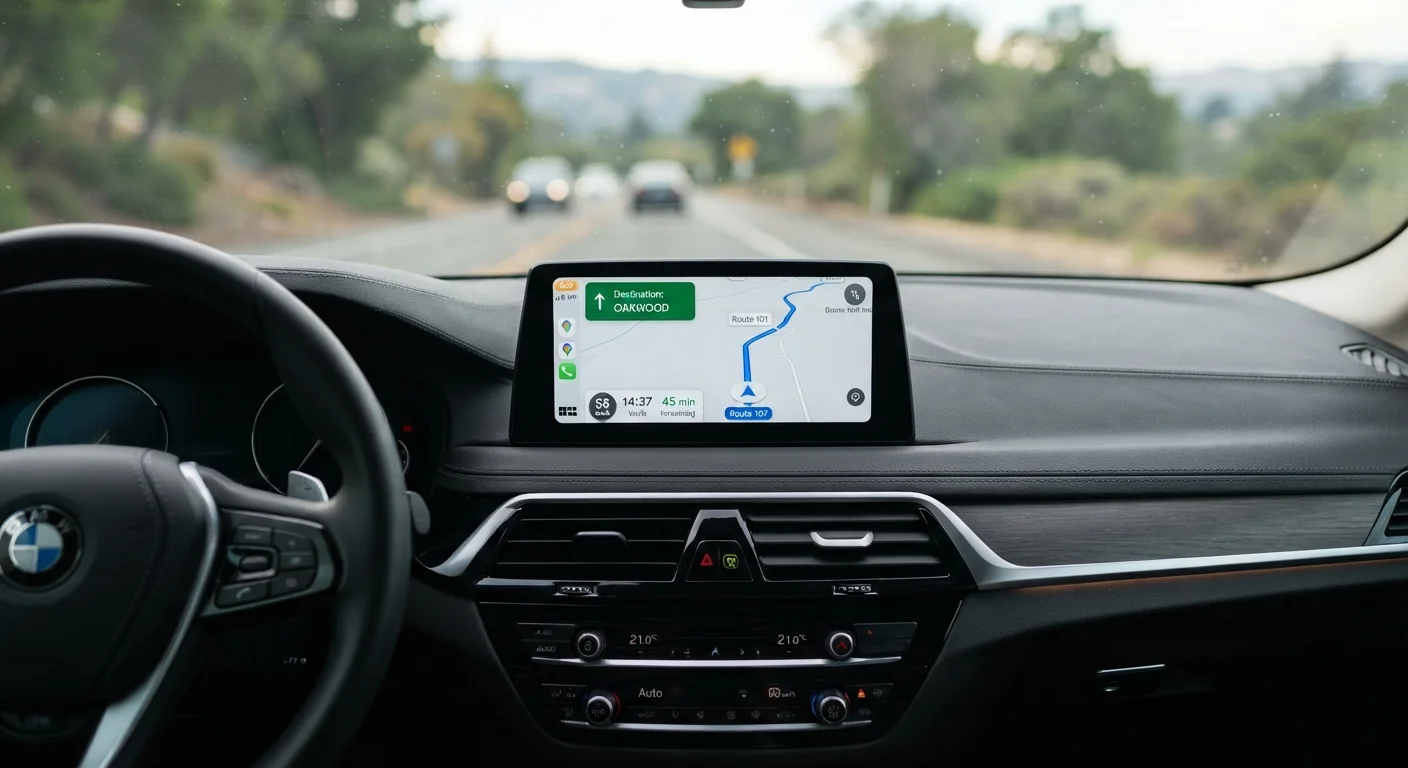
A dash-mounted screen — sometimes called a portable GPS unit or a windshield-mount display — is a device that attaches to your dashboard or windshield and shows navigation maps, turn directions, and sometimes traffic alerts in a fixed, eye-level position. Unlike using a phone balanced in a cupholder or held in hand, a properly mounted screen keeps guidance visible without requiring unusual head movements.
For many older drivers, the appeal is straightforward: a dedicated screen sits where you can glance at it naturally, displays information in larger text than most smartphones, and does not require switching between apps. Some models also accept voice commands, which reduces the need to touch the screen at all while driving.
That said, these devices vary widely in quality, screen size, and ease of use. Understanding both the genuine advantages and the real limitations helps you decide whether one belongs in your car. For a broader look at in-car technology designed around clarity and simplicity, see our overview of navigation and connectivity tech for senior drivers.
The Advantages Worth Considering
When set up correctly, dash-mounted screens offer several meaningful benefits — especially for drivers who find smartphone navigation awkward or unreliable.
Larger display than most smartphone screens
Dedicated GPS units typically offer screens ranging from five to seven inches, making text and map details easier to read at a glance compared with a small phone screen.
Fixed position reduces awkward head movements
A properly mounted screen sits at a consistent, eye-level angle, so drivers do not need to look down or sideways — a meaningful advantage for those with limited neck mobility.
Voice guidance reduces need to look at screen
Most dedicated navigation units provide spoken turn-by-turn instructions, allowing drivers to keep their eyes on the road for the majority of a journey.
Works independently of phone signal or apps
Many portable GPS units store maps locally, meaning they continue to function in areas with poor mobile coverage — useful on rural or unfamiliar routes.
Simpler interface than full smartphone navigation
Dedicated units are often designed around a single task — navigation — with fewer menus and distractions than a general-purpose smartphone loaded with multiple apps.
Drivers who struggle with small phone text or complicated app interfaces often find that a dedicated screen with simple menus significantly reduces confusion on unfamiliar routes. For a closer look at features like large text, voice guidance, and lane prompts, our article on tech features that make navigation less stressful covers exactly what to look for.
The Drawbacks You Should Not Overlook
No device is without its downsides, and dash-mounted screens carry some risks and frustrations that are worth understanding before you invest.
Poorly placed screen can block sightlines
A screen mounted too low, too high, or too far to one side can obstruct the driver's view of pedestrians, road signs, or oncoming traffic — creating a safety hazard rather than eliminating one.
Touchscreens are difficult to operate while moving
Many dash-mounted units rely on touchscreens that require precise taps — challenging for anyone with reduced fine motor control, and genuinely dangerous to use while the car is in motion.
Maps may require paid updates to stay current
Devices with locally stored maps can become outdated as roads change; some manufacturers charge for map updates, adding an ongoing cost that is easy to overlook at purchase.
Glare and reflections reduce legibility
Dashboard screens can catch direct sunlight and become difficult to read in bright conditions — a particular concern for drivers who are already managing reduced contrast sensitivity.
Setup and mounting can be fiddly
Attaching a suction-cup mount securely, routing the power cable neatly, and learning device menus all require patience and may benefit from assistance when first installed.
A Note on Distraction and Screen Use
Any screen — whether built into the car or added as an accessory — carries distraction risk if interacted with while driving. The safety benefit of a dash-mounted screen comes primarily from setting it up in advance and using voice prompts on the road. Drivers who find themselves frequently adjusting routes or tapping screens while moving should consider whether the device is genuinely reducing cognitive load or adding to it.
If you are comparing dedicated GPS units and wondering whether a touchscreen or button-controlled device is easier to operate safely on the road, our article on touchscreen vs. button-controlled GPS units walks through the key differences.
Getting the Most From a Dash-Mounted Screen Safely
The single most important safety habit with any navigation screen is simple: complete your setup before you start driving. Enter your destination, adjust volume, and confirm the route while the car is stationary. Once you are on the road, rely on voice prompts rather than glancing at the map.
Mounting position matters too. The screen should sit high enough that a brief glance does not require you to look significantly away from the road ahead — similar to how you would check a speedometer. Avoid placements that block your line of sight to traffic, pedestrians, or side mirrors.
~3 sec
Average eyes-off-road time per glance
Research from the National Highway Traffic Safety Administration indicates that taking your eyes off the road for even a few seconds at highway speed covers a significant distance — underlining the importance of voice-guided navigation.
5–7 in
Typical screen size for portable GPS units
Most aftermarket dash-mounted navigation units fall within this size range, offering a meaningfully larger display than the average smartphone for easier reading while driving.
It is also worth noting that not all screens suit every car. Some vehicles already have built-in infotainment systems that may perform many of the same functions. Before adding a portable unit, check whether your existing system simply needs a settings adjustment or a software update. Our article on cars with the clearest infotainment screens and simplest controls highlights how newer vehicles are increasingly designed with accessibility in mind.
Finally, be aware that even well-designed technology can introduce unexpected friction day to day. Before committing to any in-car device, consider the small practical details — adhesion to your dashboard surface, cord management, glare in direct sunlight — that can make the difference between a useful tool and a daily annoyance. Our piece on overlooked details that affect day-to-day driving is a useful reminder of what to check.
The content on this site is for informational purposes only and is not a substitute for professional advice. Always consult a qualified professional for guidance specific to your situation.