

Why Navigation Technology Matters for Older Drivers
Driving on unfamiliar roads demands split-second decisions — interpreting signs, identifying the correct lane, and processing spoken instructions all at once. For older drivers, these simultaneous demands can feel overwhelming, particularly when visual processing speed or working memory has changed with age. The good news is that several navigation features built into modern GPS units and in-car systems are specifically well-suited to reducing that mental load.
This article walks through the key features worth looking for and explains why each one genuinely helps. For a broader overview of the technology landscape, see our guide to navigation and connectivity tech for senior drivers.
Voice Guidance With Clear, Early Prompts
Voice navigation that announces turns well in advance — rather than at the last moment — gives drivers time to check mirrors, signal, and change lanes without rushing. The most useful systems issue a first alert roughly half a mile out, a second reminder at a shorter distance, and a final confirmation at the turn itself.
Look for systems where the voice volume can be set independently from media audio, and where the speech is unhurried and clearly enunciated. Our dedicated article on getting the most out of voice-guided navigation explains how to configure these settings for maximum clarity.
Early voice prompts give drivers time to signal and change lanes without last-second rushing.
Large Text and High-Contrast Map Display
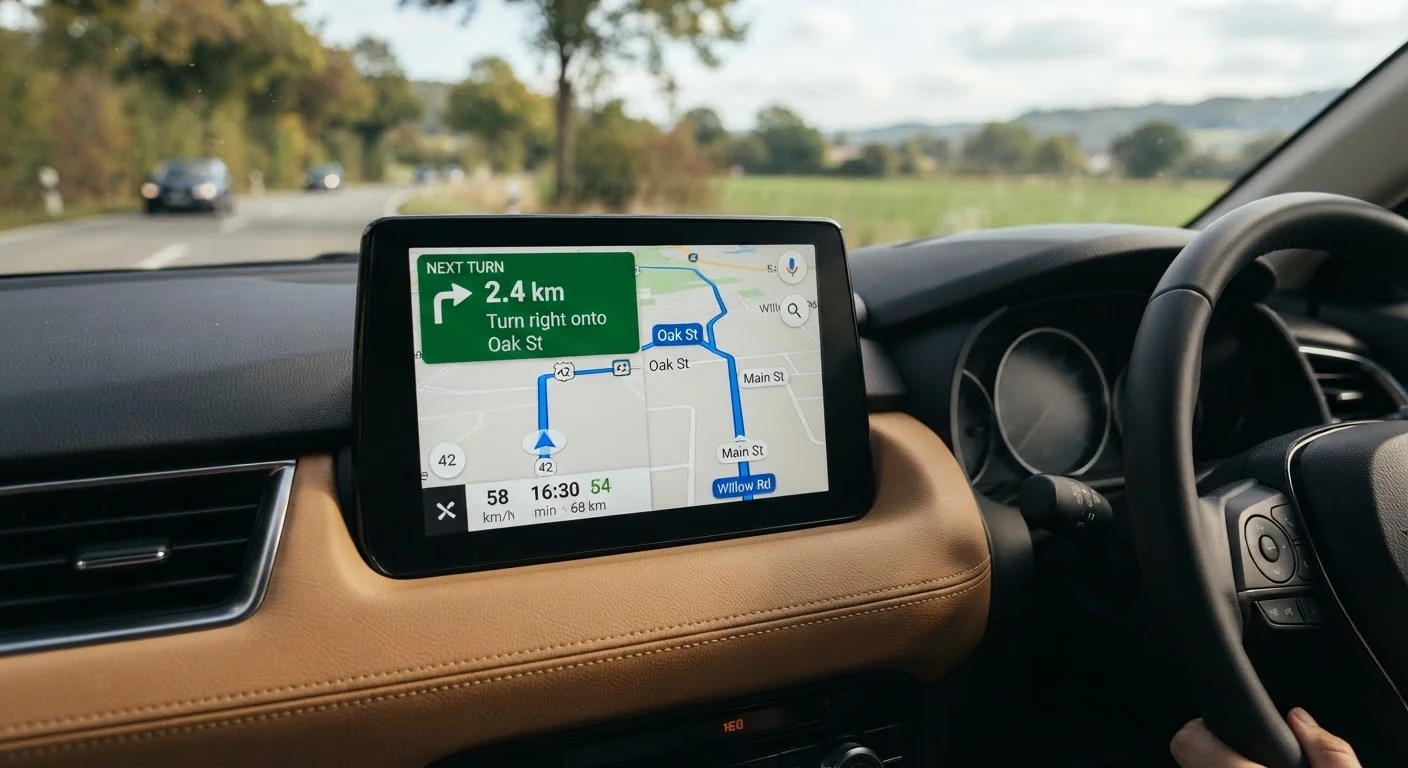
Small text and low-contrast color schemes force drivers to squint or lean toward the screen, both of which divert attention from the road. Navigation displays that offer a large-text mode, bold street name labeling, and a high-contrast night mode are considerably easier to read at a glance.
Some systems also allow the map to be zoomed in automatically as a turn approaches, filling the screen with only the immediate junction rather than a wide area view. This reduces visual clutter at the moments when precision matters most.
High-contrast maps with large text reduce the need to squint or lean toward the screen.
Lane Guidance Arrows
Approaching a multi-lane intersection or a highway interchange, knowing which specific lane to occupy can be the difference between a smooth exit and a stressful miss. Lane guidance features display a simplified overhead view of the road ahead, with colored arrows highlighting exactly which lane the driver should be in.
This feature is especially valuable on unfamiliar urban routes or on highway interchanges where signs can be dense and confusing. It complements the broader set of safety features that make the biggest difference for older drivers by reducing the chance of a sudden, reactive lane change.
Lane guidance arrows show exactly which lane to use before reaching a complex junction.
Speed Limit Display and Alerts
Many GPS units and in-car navigation systems now pull speed limit data from map databases and display the current posted limit on screen at all times. Some also issue a gentle alert when the vehicle exceeds that limit. For drivers on unfamiliar roads — where speed zone transitions may not be immediately obvious — this is a practical aid that reduces the cognitive effort of tracking limits independently.
It is worth noting that this data comes from map providers and may not always reflect recent changes to posted limits; the displayed figure is a reference, not a substitute for reading road signs.
A continuous speed limit display reduces the mental effort of tracking limits on unfamiliar roads.
Pre-Trip Route Preview
Some navigation systems allow the driver to review an entire route before setting off — scrolling through upcoming turns, noting any complex junctions, and mentally preparing for the journey. This feature turns an unfamiliar route into a partially familiar one before the car is even in motion.
Used at home on a phone app or on the in-car system while parked, a route preview can substantially reduce anxiety on longer or more complex drives. It pairs naturally with dash-mounted screen setups that make the map easy to consult without distraction while driving.
Reviewing a route before departure turns unfamiliar roads into a partially known journey.
Automatic Re-Routing Without Confusion
Missing a turn is a common source of stress. Navigation systems that re-route quickly and calmly — announcing the change with a simple prompt rather than repeated error tones — help the driver recover without panic. The recalculation should happen within seconds and present the new instruction clearly, picking up naturally from where the driver is.
Systems that display a simple message such as "Recalculating route" and then immediately issue the next instruction are generally easier to follow than those that replay missed turns or show complex detour maps. For drivers considering which type of GPS interface handles this best, our comparison of touchscreen vs. button-controlled GPS units is a useful starting point.
Calm, fast re-routing after a missed turn prevents panic and keeps the driver on track.
Putting It All Together
No single feature solves every challenge, but combining a few of the right ones can make driving in unfamiliar areas considerably less stressful. A system with clear voice prompts, readable maps, and proactive lane guidance works together to keep the driver informed without demanding constant screen interaction.
Practice New Features Before a Long Trip
If you're trying a navigation system for the first time, consider taking a short, familiar drive to test the voice volume, text size, and re-routing behavior before relying on it for an unfamiliar journey. Familiarity with the interface reduces the mental effort of using it when it matters most. Many systems also allow settings to be adjusted while the vehicle is parked, so take a few minutes before departure to confirm everything is configured to your preference.
If you're also thinking about how physical controls and screen design affect usability, our article on cars with the clearest infotainment screens and simplest controls covers what to look for. And for a deeper dive into driver-assist systems that work alongside navigation, driver-assist technologies every senior should know about offers a plain-language breakdown.
This article is for general informational purposes only. Navigation feature availability varies by vehicle, device, and software version. Always consult your vehicle or device manual and evaluate features based on your own driving needs and abilities.
The content on this site is for informational purposes only and is not a substitute for professional advice. Always consult a qualified professional for guidance specific to your situation.