

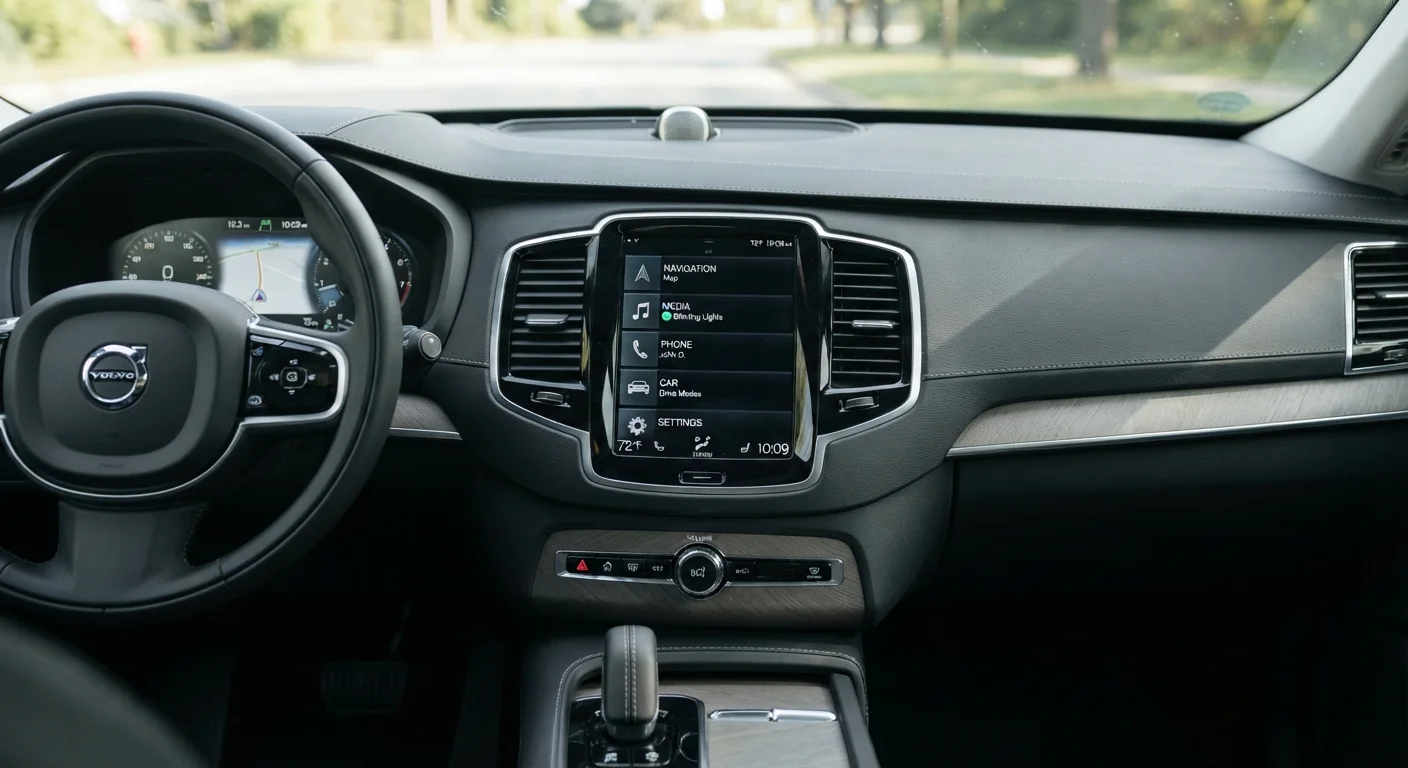
Why Infotainment Design Matters for Older Drivers
Modern vehicles pack an enormous amount of technology into a central screen. For many drivers, that screen has become the control hub for navigation, audio, phone connectivity, climate settings, and even seat adjustments. But as screens have grown larger and more feature-rich, they haven't always grown easier to use — particularly for drivers who value clarity, predictability, and the ability to make adjustments without taking their eyes off the road for extended moments.
For older drivers especially, a poorly designed infotainment system can turn routine tasks into distractions. Small text, low contrast, deeply buried menu options, and the absence of physical controls all add unnecessary cognitive load. The good news is that automakers are increasingly recognising this, and several current models stand out for prioritising legibility and simplicity. Understanding what to look for — and what to avoid — is the first step.
This guide examines the specific design qualities that make an infotainment system genuinely easy to use day to day. For a broader look at how technology can support rather than complicate driving, see our guide to stress-reducing navigation features. And if you want the full picture on evaluating any new model, what makes a car senior-friendly is a useful starting point.
Screen Size Is Not the Same as Clarity
A 12-inch screen with small icons and poor contrast can be harder to read than a 9-inch screen with well-spaced, high-contrast menus. When manufacturers advertise screen size as a selling point, it's worth looking past the headline figure. What matters in day-to-day use is how information is presented, not how much physical space it occupies. For additional context on screen-based distractions, see our review of dash-mounted screen trade-offs.
What to Look for in Any New Model
High-Contrast Display with Adjustable Text Size
The single most important legibility factor is contrast — the difference in brightness between text or icons and the background behind them. Systems that allow users to increase text size and switch to a high-contrast display mode (often a dark or night theme) are far easier to read in bright sunlight or at a quick glance. Look for this option in the display settings during your test drive; not all systems expose it prominently.
High contrast and adjustable text size make infotainment readable at a glance in any lighting.
Dedicated Physical Volume and Tuning Controls
A rotary volume knob may seem old-fashioned, but it serves a critical safety function: it can be operated entirely by feel, without visual confirmation. Models that retain a physical volume knob — and ideally a separate tuning or seek button — allow drivers to adjust audio without engaging with the touchscreen at all. When evaluating a vehicle, check whether these controls are present and whether they feel distinct and easy to locate without looking down.
A physical volume knob lets drivers adjust audio entirely by touch, without glancing at the screen.
Separate Climate Controls, Not Screen-Buried Settings
One of the most common frustrations in modern vehicles is the migration of climate controls — fan speed, temperature, seat heating — into submenus of the main touchscreen. Systems that keep at least the primary climate adjustments on physical buttons or dedicated touch-sensitive sliders positioned below the main screen are considerably easier and safer to operate while driving. During a test drive, verify how many screen taps it takes to change the cabin temperature.
Climate controls buried in touchscreen menus are a daily frustration that's easy to overlook at the dealership.
Shallow Menu Architecture with Clear Home Screen Layout
A well-designed system puts the most commonly used functions — navigation, audio source, phone calls — accessible from a single home screen, ideally with large, clearly labelled icons. The fewer taps required to reach any everyday function, the lower the cognitive and visual demand on the driver. Count the steps to common destinations during a demo; a system that requires three or more taps to switch audio source or mute a call is a system that will generate frustration over time.
Fewer taps to reach everyday functions is one of the clearest signs of a thoughtfully designed interface.
Reliable Voice Command Recognition
Voice control has matured significantly. Many current systems accept natural spoken phrases — "navigate home," "call my wife," "turn up the heat" — without requiring precise memorised commands. When this works reliably, it removes the need to touch the screen for a wide range of tasks. Test the system's voice recognition in the car itself, not just in a quiet showroom: background noise, air conditioning, and road noise all affect performance. Systems that integrate with smartphone assistants as a fallback often provide more consistent results.
Reliable voice recognition can effectively eliminate the need to touch or look at the screen for common tasks.
Anti-Glare Screen Coating and Optimal Mounting Angle
Even a beautifully designed interface becomes unreadable if direct sunlight turns the screen into a mirror. Some manufacturers apply matte anti-glare coatings to their displays; others rely on glossy screens that look vivid in a showroom but wash out in afternoon sun. The mounting angle also matters — screens tilted slightly toward the driver and positioned to avoid the path of direct sunlight perform noticeably better in real-world conditions. Test the vehicle at different times of day if possible, or ask specifically about glare performance.
An anti-glare screen coating is a small detail with an outsized effect on everyday usability.
Bring a Checklist to the Test Drive
Write down the specific tasks you perform most often while driving — changing radio stations, adjusting temperature, muting calls — and run through each one during your test drive. This gives you a concrete, comparable experience across different models rather than a general impression. The complete guide to evaluating new-car options as an older driver offers additional preparation strategies.
Before You Decide: Test the Screen, Not Just the Car
Specs on a window sticker won't tell you how intuitive a system feels in real-world use. During any test drive, spend dedicated time with the infotainment system specifically — adjust the volume, change a radio station, pull up a navigation destination, and switch a climate setting, all while seated at a normal driving position. Notice whether text is readable at a glance, whether the screen reflects sunlight into your eyes, and whether any physical controls fall naturally to hand.
It's also worth asking the dealer to demonstrate voice command functionality. A system that reliably responds to plain spoken instructions can reduce the need to interact with the screen altogether. For context on the trade-offs between touchscreen-only and button-supported interfaces, our comparison of touchscreen and button-controlled systems covers the key usability differences. And before finalising any purchase, review overlooked details that complicate daily driving — small frustrations that often go unnoticed until after you've driven off the lot.
This article provides general educational information about vehicle features and is not a recommendation to purchase any specific make, model, or product. Vehicle features, availability, and specifications vary by manufacturer, trim level, and model year. Always verify details directly with a dealer and consult a qualified adviser for decisions suited to your individual circumstances.
The content on this site is for informational purposes only and is not a substitute for professional advice. Always consult a qualified professional for guidance specific to your situation.