

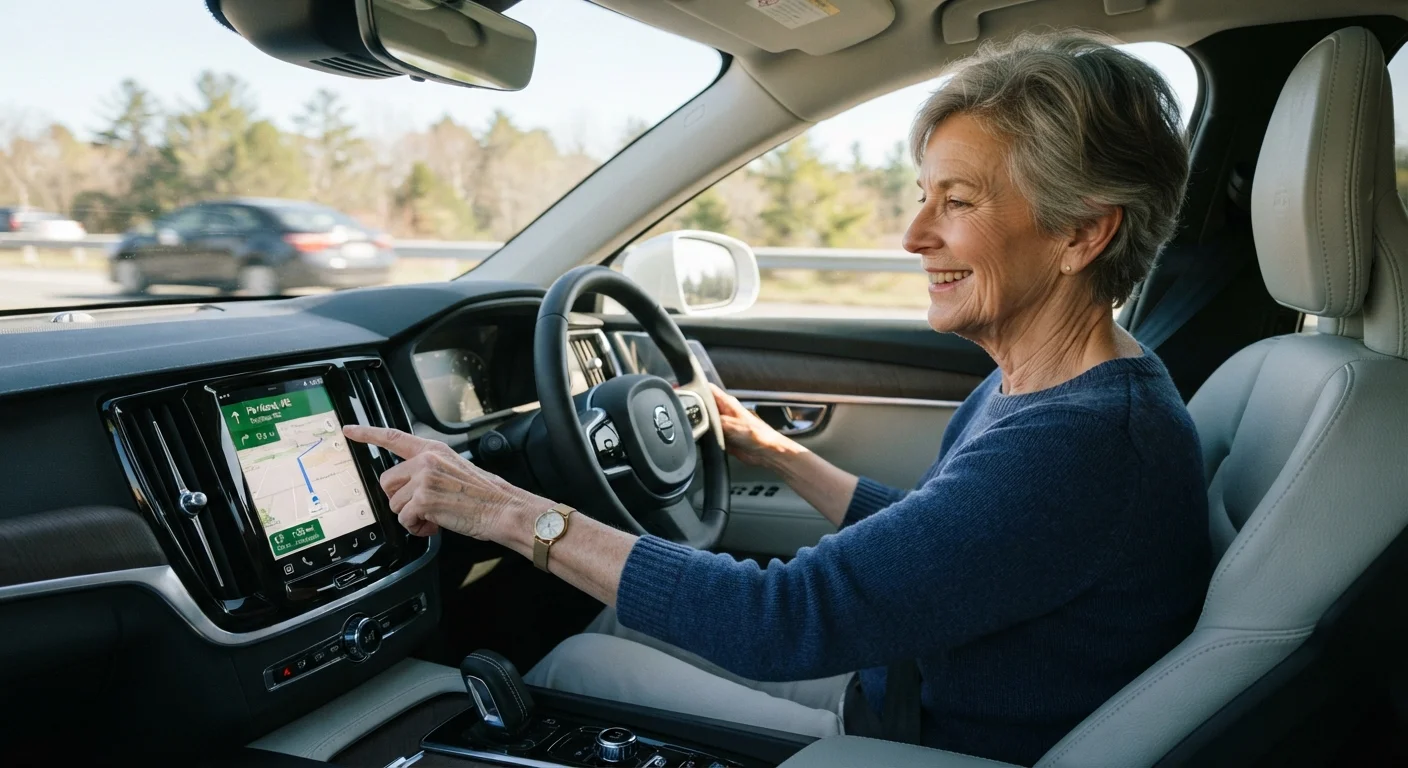
Why In-Car Technology Matters for Senior Drivers
Today's in-car technology is increasingly designed with ease of use in mind — larger screens, clearer audio prompts, and streamlined menus have made it far more accessible than earlier generations of in-vehicle electronics. For senior drivers, these advances translate into real, practical benefits: less time glancing away from the road, more confidence navigating unfamiliar areas, and simpler ways to stay in touch without compromising safety.
Understanding which technologies are worth learning — and how each one supports safer, more comfortable driving — is the first step. This guide covers the core categories: GPS navigation, Bluetooth connectivity, backup cameras, and voice control. For a broader look at how modern vehicle safety systems complement these tools, see safety features that matter most for older drivers.
100%
New U.S. cars required to have backup cameras
Federal regulation effective May 2018 mandates rear-view cameras on all new passenger vehicles sold in the United States.
~70%
Older adults who find voice navigation easier than manual entry
Research on aging and technology consistently finds that voice-guided systems reduce cognitive load for older users compared to manual screen input.
GPS Navigation: Getting Where You're Going with Confidence
GPS (Global Positioning System) navigation uses satellite signals to pinpoint your vehicle's location and guide you turn-by-turn to your destination. Modern GPS units — whether built into the dashboard or available as portable devices — offer features that make them particularly useful for older drivers:
- Voice-guided directions: Clear spoken prompts mean you rarely need to look at the screen while driving.
- Large map displays: Many units allow text size and map zoom to be adjusted for easier reading.
- Lane guidance: Visual and audio cues indicate which lane to be in well before a turn, reducing last-minute lane changes.
- Recalculation: If you miss a turn, the system quietly recalculates a new route without requiring any input from you.
Built-in navigation systems integrated into the car's dashboard tend to have larger screens and are easier to read than older portable devices. If your vehicle doesn't have built-in navigation, a dash-mounted GPS unit can be a practical addition. For a balanced look at the benefits and trade-offs of adding a screen to your dash, see dash-mounted screens: convenience vs. distraction.
If you've heard that GPS is complicated or unreliable, it's worth reading about common GPS myths older drivers encounter before making a decision. Many concerns turn out to be outdated or overstated.
Before driving anywhere new, spend a few minutes at home reviewing the route on your GPS while the car is parked. Familiarity with the major turns in advance reduces reliance on last-second audio prompts.
Pre-trip review reduces the surprise of unfamiliar intersections, which is especially valuable when navigating highway exits or complex junctions.
Set your GPS volume to a level you can hear clearly over the air conditioning or heater — most units allow navigation audio to be adjusted separately from other car audio.
Missed audio prompts are the most common reason drivers make wrong turns, so clarity of the voice guidance is more important than screen readability while the vehicle is moving.
Bluetooth and Hands-Free Calling
Bluetooth is a short-range wireless technology that connects your smartphone to your car's audio system — no cables required. Once paired (a one-time setup process), your phone calls play through the car's speakers and you speak through a built-in microphone, keeping both hands on the wheel.
Key benefits for senior drivers include:
- No need to reach for or look at your phone while driving.
- Contacts can often be dialed by voice command ("Call home") without pressing any buttons.
- Incoming calls are announced aloud, so you can decide whether to answer without checking the screen.
Never Set Up Bluetooth While Driving
Pairing a phone to your vehicle's Bluetooth system for the first time requires navigating menus on both your phone and your car's screen — a task that demands your full attention. Always complete the initial pairing while parked and stationary. Once paired, the connection happens automatically every time you enter the vehicle.
If your current vehicle doesn't have Bluetooth built in, an aftermarket Bluetooth adapter — a small device that plugs into your car's audio port — can add this capability at modest cost. A local electronics retailer or your car dealership's service department can help you identify a compatible option.
Backup Cameras and Parking Sensors
Since May 2018, all new passenger vehicles sold in the United States have been required by federal regulation to include a rear-view (backup) camera. This camera activates automatically when the vehicle is shifted into reverse, displaying a live view of what's directly behind the car on the dashboard screen.
For senior drivers, backup cameras address a genuine challenge: the physical difficulty of turning fully to look behind the vehicle. The camera view typically includes colored guide lines showing the car's projected path, helping with parking and maneuvering in tight spaces.
Parking sensors are a complementary feature. Small sensors embedded in the front and rear bumpers detect nearby objects and alert the driver with beeping tones — the faster the beeps, the closer the obstacle. Many vehicles combine cameras with sensors for a fuller picture of the vehicle's surroundings.
Practice Parking With the Camera First
The first few times you use a backup camera, practice in an empty parking lot before relying on it in busier spaces. This helps you understand how the guide lines relate to the actual position of nearby objects, making the feature far more useful day-to-day.
If your older vehicle lacks a backup camera, aftermarket camera kits are available and can be professionally installed. Ask a qualified mechanic or auto electronics installer about compatibility with your specific vehicle before purchasing any kit.
Smartphone Integration and Voice Commands
Many vehicles now support Apple CarPlay and Android Auto — systems that display a simplified version of your smartphone's interface on the car's touchscreen. Navigation, music, and phone calls can all be managed through the car's controls rather than the phone itself, keeping your device safely in your pocket or bag.
Voice command systems, either built into the vehicle or accessed through a smartphone assistant, allow you to speak requests naturally — "Navigate to the pharmacy," "Call my daughter," or "Play relaxing music" — without touching any screen. These systems have improved significantly and can understand natural phrasing rather than requiring specific commands.
For a plain-language explanation of how driver-assist and connectivity technologies work together in modern vehicles, see driver-assist technology explained simply.
“The goal of good interface design in vehicles is to minimize the time a driver's eyes are off the road. Every second spent looking at a screen instead of the road ahead is a second of increased risk.”
— Human Factors and Ergonomics Society, Professional organization focused on human-centered design in transportation and technology
Choosing and Setting Up Technology That Works for You
The most effective technology is technology you'll actually use. When evaluating navigation and connectivity features, consider these practical factors:
- Screen readability
- Look for large text options, high contrast displays, and screens positioned at a comfortable viewing angle.
- Audio clarity
- Voice guidance should be loud enough to hear clearly, with volume adjustable independently of other audio.
- Setup support
- Many dealerships and electronics retailers offer brief setup walkthroughs. Don't hesitate to ask for a demonstration.
- Familiarity time
- Practice with any new technology in a safe, parked setting before relying on it while driving.
If unfamiliar terminology is slowing you down, a quick-reference glossary of navigation tech terms covers the most common terms in plain language. For a broader overview of vehicle features designed with senior comfort and ease of access in mind, the Comfort and Easy Access hub is a useful starting point.
Technology Varies Between Vehicles
Not every feature described in this guide is available in every car. Built-in navigation, Apple CarPlay, Android Auto, and parking sensors are more common in vehicles manufactured after 2016, though availability depends on the trim level and optional packages chosen at the time of purchase. Always check your owner's manual to confirm what systems your specific vehicle includes.
This article provides general information about in-car technology for educational purposes. Features and availability vary by vehicle make, model, and year. Consult your vehicle owner's manual or a qualified professional before modifying or adding electronic components to your vehicle.
Quick-Reference Glossary of Navigation Tech Terms
Short, clear definitions of GPS, Bluetooth, Wi-Fi hotspot, lane guidance, and other terms you'll encounter when exploring in-car navigation — useful before shopping or setting up a new system.
Driver-Assist Technologies Every Senior Should Know About
A plain-language overview of the most common driver-assist systems in modern cars and how each one supports safer driving as you age — a natural complement to connectivity technology.
Comfort and Easy Access Hub
Explores the full range of vehicle features — from seat adjustability to dashboard controls — that make driving more comfortable and manageable for senior drivers.
The content on this site is for informational purposes only and is not a substitute for professional advice. Always consult a qualified professional for guidance specific to your situation.