

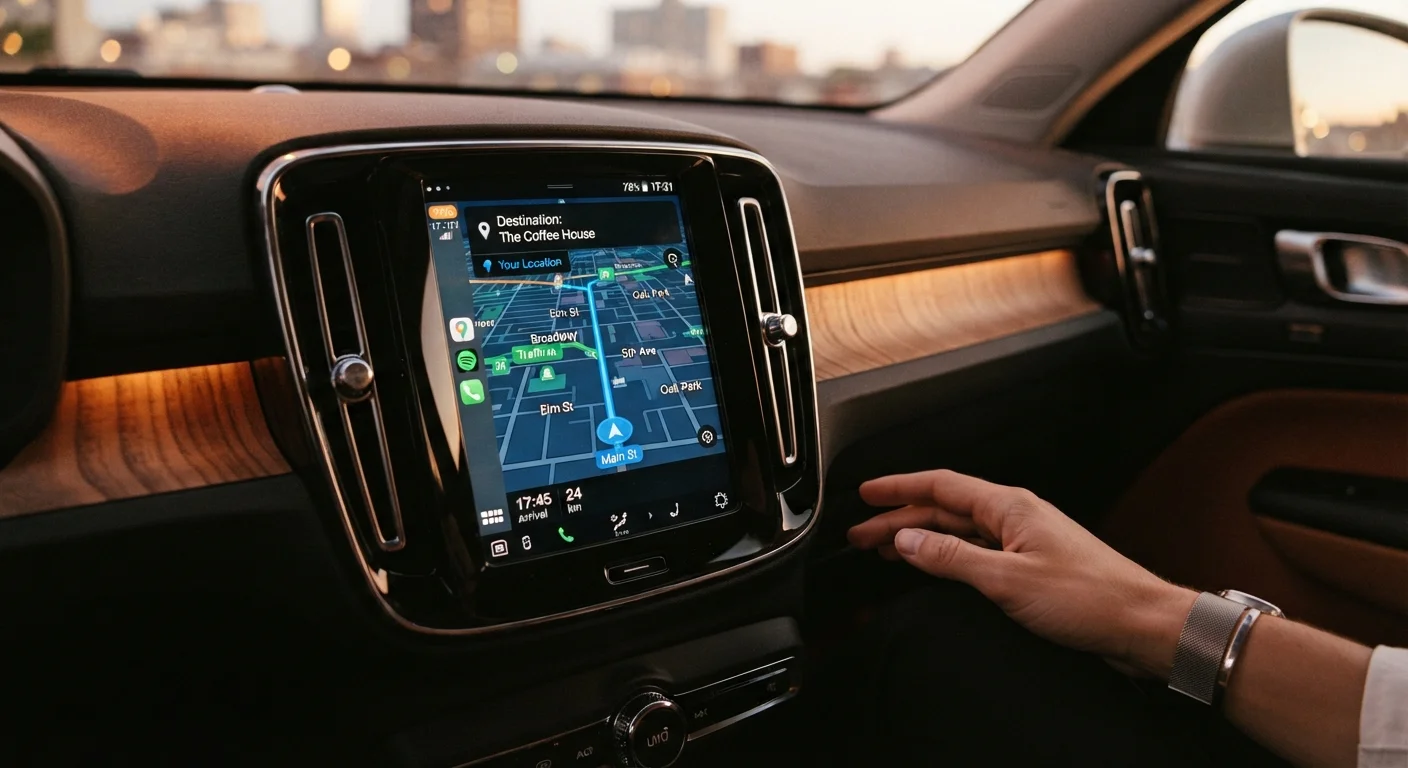
Why These Terms Matter for Everyday Driving
Modern vehicles — and the devices that work alongside them — come packed with navigation technology. Whether you're glancing at a dashboard screen, pairing your phone by Bluetooth, or hearing a voice prompt about an upcoming turn, you're using tools built around a specific set of terms. Knowing what those words actually mean puts you in control.
This glossary covers the core concepts you'll encounter in owner's manuals, on vehicle spec sheets, and on in-car screens. Each definition is written in plain language, without assumptions about a tech background. For a deeper look at how these features work together day to day, see Navigation and Connectivity Tech Every Senior Driver Should Know About.
GPS (Global Positioning System)
A satellite-based system that pinpoints your vehicle's location anywhere on Earth. Your navigation device or phone app receives signals from multiple satellites to calculate where you are and guide you along a chosen route.
Bluetooth
A short-range wireless connection that links your phone to your car's audio system or display screen. It allows hands-free phone calls and can stream music without a cable.
Wi-Fi Hotspot
Some vehicles include a built-in cellular connection that creates a Wi-Fi network inside the car. Passengers and devices can connect to it the same way they would connect to home Wi-Fi, typically through a data plan.
Lane Guidance
A navigation feature that tells you which lane to be in before an upcoming turn or highway split. It may appear as on-screen arrows or a spoken prompt, helping you position the car early rather than at the last second.
Turn-by-Turn Directions
Step-by-step spoken or on-screen instructions that guide you through each maneuver on a route, one direction at a time. The system announces the next instruction as you approach it.
Recalculation
When you miss a turn or take a different road, the navigation system automatically works out a new route to your destination from your current position. No manual action is needed.
Points of Interest (POI)
Searchable locations stored in a navigation system, such as gas stations, hospitals, restaurants, and pharmacies. You can search by category or name and get directions to the one you choose.
Voice Guidance
Spoken directions delivered by the navigation system through the car's speakers. Voice guidance lets you keep your eyes on the road rather than glancing at the screen for instructions.
Map Update
A refresh of the geographic data stored in a navigation device or app. Updates add newly built roads, corrected addresses, and changed speed limits. Keeping maps current improves routing accuracy.
ETA (Estimated Time of Arrival)
The navigation system's calculation of when you will reach your destination based on current distance, road type, and traffic conditions. It adjusts automatically as conditions change.
Smartphone Integration
A system that connects your phone to the car's dashboard screen so you can use certain phone apps — including navigation apps — through the vehicle's display and controls. Common examples include Apple CarPlay and Android Auto.
Touchscreen Display
The interactive screen on a car's dashboard that responds to finger taps and swipes. It is used to enter destinations, adjust settings, and view maps on built-in navigation systems.
Key Navigation Features and What They Do
Once you know the vocabulary, it's easier to understand what a navigation system is offering — and to decide whether a feature is genuinely useful for your driving style.
| Navigation system types | Built-in (factory), portable device, smartphone app |
| How GPS locates your vehicle | Signals from at least 3–4 satellites |
| Bluetooth typical range | Up to 30 feet (10 meters) |
| Voice guidance benefit | Reduces need to look at screen while driving |
| Map update frequency | Varies by provider; often quarterly or annually |
| Smartphone integration examples | Apple CarPlay, Android Auto |
Lane guidance is one feature worth understanding clearly. When a navigation system announces "keep left at the fork" or shows an arrow pointing to a specific lane on screen, that's lane guidance. It reduces the stress of last-minute decisions on busy highways or complex interchanges. For more on features designed specifically to reduce confusion, visit Tech Features That Make Navigation Less Stressful for Older Drivers.
If terms like "live traffic" or "offline maps" appear on a device or app you're using, What 'Live Traffic' and 'Offline Maps' Actually Mean on a Navigation Device breaks those down in full. And if you're brand new to GPS navigation altogether, GPS Navigation for Drivers Who Didn't Grow Up With Smartphones is a good starting point.
Navigation tech overlaps with broader safety systems in newer vehicles. If you encounter acronyms on a window sticker that aren't covered here, Understanding ADAS: A Plain-Language Glossary of Driver-Assist Terms and What the Safety Feature Names on Window Stickers Actually Mean explain those separately.
Navigation Terms vs. Safety System Terms
Navigation technology and driver-assist safety systems are related but separate categories. Terms like GPS, Bluetooth, and lane guidance relate to routing and connectivity. Terms like adaptive cruise control or forward-collision warning belong to the driver-assist category. If you see unfamiliar acronyms on a vehicle spec sheet, check the New Safety Features hub for guidance on safety-specific terminology.
The content on this site is for informational purposes only and is not a substitute for professional advice. Always consult a qualified professional for guidance specific to your situation.