

Why These Terms Matter Before You Hit the Road
If you've ever looked at a navigation device or app and wondered what phrases like live traffic, offline maps, or map updates actually do for you, you're not alone. These terms appear on nearly every GPS product, but they're rarely explained in plain language. Knowing what they mean helps you choose the right settings, avoid unexpected data charges, and drive with greater confidence.
This reference article breaks down the most commonly misunderstood navigation terms — no technical background required. For a broader introduction to how GPS devices work in general, see our guide to GPS navigation for drivers new to the technology.
| Live Traffic Requires | An active internet or cellular data connection |
| Offline Maps Work Without | Any internet or cellular connection |
| Rerouting Uses | Stored map data — no internet needed |
| Map Updates Are Needed | Periodically, to keep road data accurate |
| GPS Satellite Signal | Works independently of Wi-Fi or mobile data |
Live Traffic: What It Is and What It Needs
Live traffic (sometimes labeled real-time traffic) refers to up-to-the-minute information about road conditions — slowdowns, accidents, road closures, and construction — that your device receives while you are actively driving. The key word is live: the information is continuously refreshed, not stored in advance.
To receive live traffic data, your navigation device must have an active internet or cellular connection. On a smartphone app, that connection comes through your mobile data plan. On a dedicated GPS unit, it may come through a built-in SIM card, a Wi-Fi connection, or a link to your phone via Bluetooth. Without a connection, live traffic does not work — the device simply can't receive updates from the outside world.
When live traffic is active and working correctly, your device may automatically suggest a different route if it detects a significant delay ahead. This feature can save time on longer trips, but it is not foolproof — minor slowdowns may not always trigger a reroute, and data coverage gaps can cause brief lapses in accuracy.
Live Traffic
Real-time road condition data streamed to your device over an internet connection. It shows accidents, congestion, and closures as they happen, but stops working when you lose connectivity.
Offline Maps
Map data downloaded and stored on your device in advance. These allow full navigation without an internet connection, though live traffic features will not be available.
Map Update
A refresh of the road and location data stored on your device. Updates add new roads, correct errors, and update points of interest so directions stay accurate over time.
Rerouting
The automatic process of recalculating your route when you deviate from the original path. It uses whichever map data is already on the device and does not require a live connection.
Lane Guidance
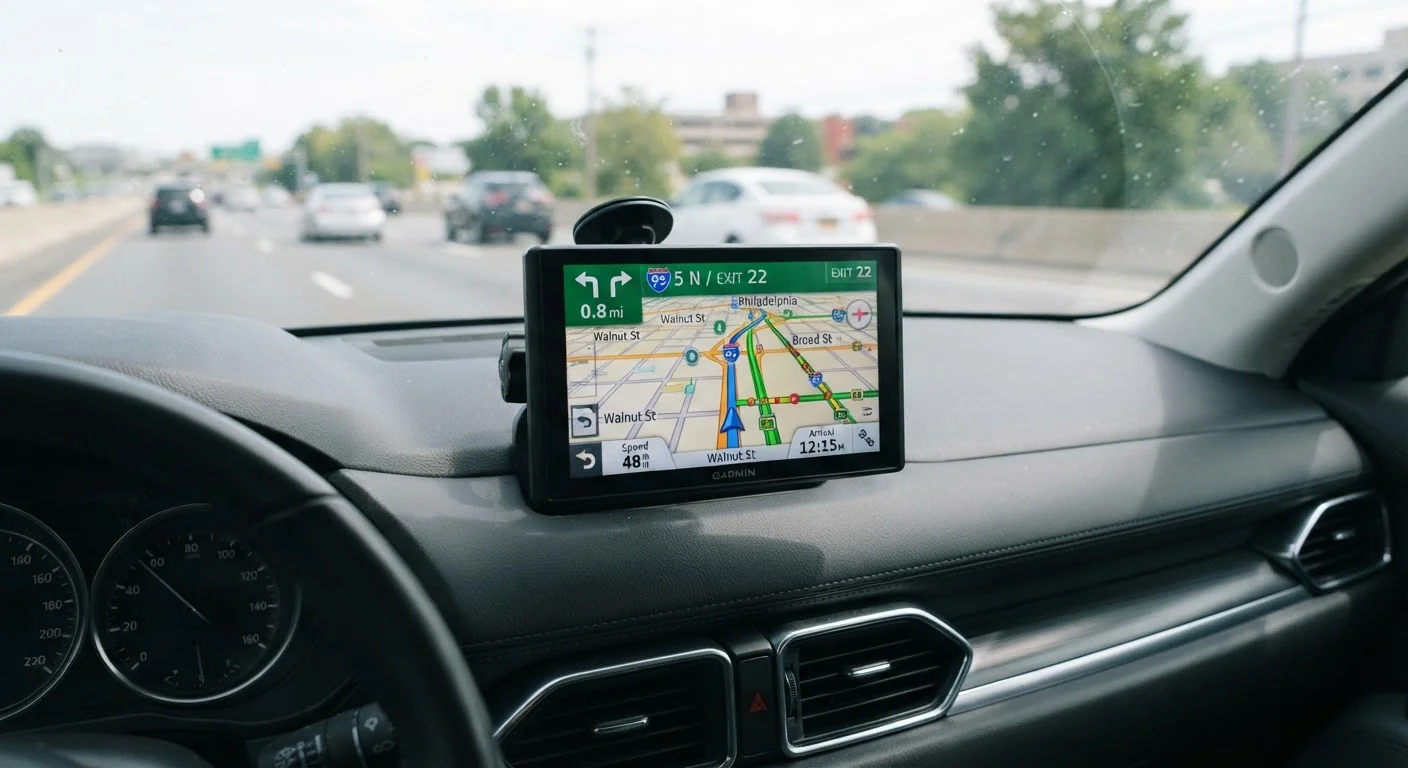
A navigational feature that displays arrows or highlights showing which lane to use before a turn or highway exit. It works from stored map data and does not need the internet.
GPS Signal
The signal your device receives from satellites orbiting Earth to determine your current location. GPS signals are separate from internet or cellular connections and work in most outdoor locations.
Offline Maps: Navigating Without an Internet Connection
Offline maps are map files you download and store directly on your device before you travel. Because the data is saved locally — on the device itself — your navigation can continue to work even when you have no cellular signal or Wi-Fi access. This is especially useful in rural areas, mountain regions, or anywhere coverage is unreliable.
Here is an important distinction: offline maps still let you navigate turn-by-turn, calculate routes, and hear voice directions. What they cannot do is show you live traffic, because that requires a live internet connection. You get reliable directions; you just won't see real-time slowdowns.
Most navigation apps allow you to download maps for a specific region or state before a trip. On dedicated GPS units, maps are typically pre-loaded at the factory and updated periodically. If you're comparing a dedicated GPS unit with a smartphone app, our article on the practical differences between GPS devices and phone navigation covers this distinction in useful detail.
~15%
Of U.S. geography has limited cellular coverage
Federal Communications Commission coverage maps indicate significant rural areas with limited or no mobile data signal, making offline maps particularly valuable for drivers in those regions.
Varies
Frequency of map update availability by device type
Smartphone navigation apps typically update map data automatically over Wi-Fi, while dedicated GPS units may require manual updates via computer connection or a subscription service.
Map Updates, Rerouting, and a Few Other Terms Explained
Map updates refresh the underlying road data on your device — new roads, changed speed limits, updated points of interest. Without periodic updates, your device may direct you down a road that no longer exists or miss a newly opened shortcut. On smartphone apps, map data typically updates automatically when connected to Wi-Fi. On standalone GPS units, updates may require a USB connection to a computer or a paid subscription depending on the device.
Rerouting is what happens when your device recalculates your path after you miss a turn or choose a different road. It is automatic on most modern devices and does not require an internet connection — the device simply recalculates using the map data it already has.
Lane guidance is a feature that tells you which lane to be in for an upcoming turn or highway exit, often shown as arrows on the screen. It relies on the stored map, not a live connection, so it works offline too.
For a comprehensive list of navigation vocabulary, our quick-reference glossary of navigation tech terms covers these and many more in short, clear definitions. And if you've heard that GPS is complicated or uses up too much data, our article on common GPS myths older drivers encounter addresses those concerns directly.
The content on this site is for informational purposes only and is not a substitute for professional advice. Always consult a qualified professional for guidance specific to your situation.