

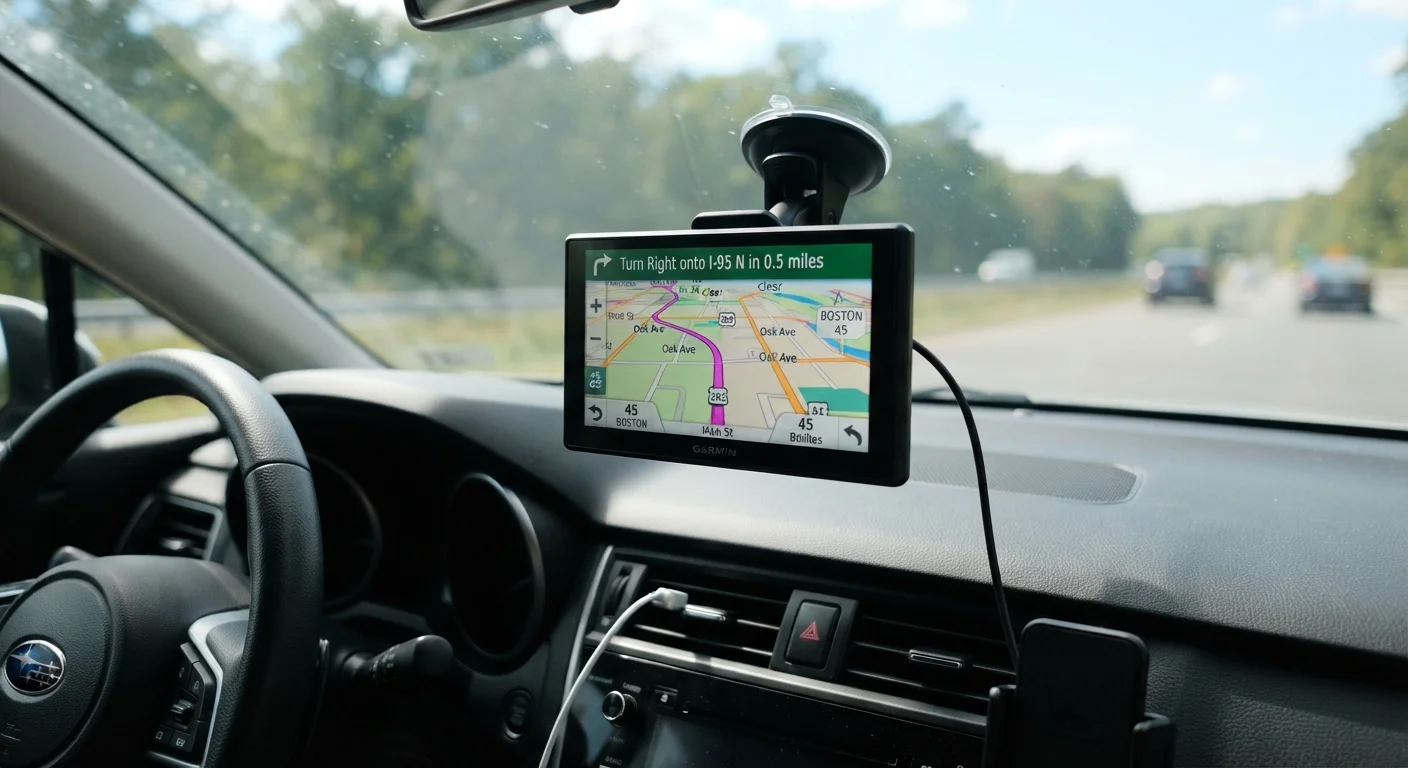
Why Setup Matters Before You Leave the Driveway
A GPS device is only as useful as your ability to trust it calmly while driving. When the device is poorly mounted, the volume is too low, or you have not yet confirmed how to enter an address, small frustrations stack up quickly on the road. Taking 15 to 30 minutes to set everything up while parked — with no traffic pressure — makes the device feel predictable and reassuring rather than stressful.
If you are new to dedicated navigation units, the article GPS Navigation for Drivers Who Didn't Grow Up With Smartphones offers a plain-language introduction to how these devices work before you begin physical setup. And if you are still deciding whether a dedicated GPS unit is the right choice for you, Mounted GPS Device vs. Phone Navigation App walks through the practical differences.
What you will need
Suction-Cup Windshield or Dashboard Mount
Holds the GPS unit securely in a visible position and can be repositioned as needed.
12V Power Adapter Cable
Delivers continuous power to the GPS from the car's power outlet so the battery does not drain.
Microfiber Cloth
Cleans the windshield or dashboard surface so the suction cup adheres firmly.
Cable Clip or Adhesive Cord Keeper
Routes the power cable neatly along the door frame so it does not hang across the driver's field of view.
Step-by-Step Setup Instructions
Follow the steps below in order while your car is parked in a driveway or parking lot. Each step builds on the last, so skipping ahead can create problems that are harder to fix once you are out on the road.
Clean the mounting surface
Use a microfiber cloth to wipe the area of the windshield or dashboard where you plan to attach the mount. Even a thin layer of dust or oil will prevent the suction cup from gripping properly. Allow the surface to dry completely before placing the mount.
Attach the mount in a safe position
Press the suction cup firmly against the cleaned surface, then flip the locking lever to create a seal. Position the arm so the GPS screen will sit just below your natural sightline — typically in the lower corner of the windshield on the passenger side, or on the dashboard. Sit in the driver's seat and confirm nothing is blocked before continuing.
Snap the GPS unit onto the mount
Slide or clip the GPS device into the mount bracket according to your model's instructions. Give it a gentle tug to confirm it is locked in place. A loose device can fall while driving, which is both a distraction and a safety hazard.
Connect the power cable
Plug one end of the power cable into the GPS unit's charging port, then plug the other end into the car's 12V outlet. Turn the car's ignition to the accessory position (or start the engine) to confirm the GPS powers on. Route the cable along the edge of the windshield or down the door frame pillar to keep it out of the way.
Wait for satellite signal acquisition
Once powered on, the GPS will search for satellite signals — this typically takes between one and three minutes when stationary outdoors. A signal-strength bar or map icon on screen will confirm when it has locked on. Do not attempt to enter a destination until the device shows a current location marker on the map.
Adjust language, volume, and display settings
Navigate to the settings menu and confirm the language is set to English (US). Increase the voice guidance volume so you can hear prompts clearly over road noise — most drivers find the highest or second-highest volume setting most comfortable. Adjust map brightness if your screen offers a day/night mode option.
Enter your home address and start a test route
While still parked, select "Where To?" or the equivalent search option on your GPS. Use the on-screen keyboard to type your home address, then confirm the result shown matches your actual address before pressing "Go" or "Start." Watch how the route appears on the map and listen to the first voice prompt to verify everything is working.
Never Program Your GPS While Moving
Entering an address or adjusting settings while the vehicle is in motion is unsafe and illegal in many U.S. states. Always complete setup, address entry, and route selection while parked with the engine off or in a safe stationary position. If you miss a turn, pull safely off the road before interacting with the device — the GPS will automatically recalculate a new route.
Avoid Blocking Critical Sight Lines
Placing a GPS unit behind the rearview mirror or low on the passenger side can create blind spots. Check that the mount does not obstruct your view of traffic signals, pedestrians, or intersections before you drive. If in doubt, choose a lower dashboard mount or ask someone to check visibility from the driver's seat.
After Setup: Building Confidence With Your Device
Once your GPS is mounted, powered, and programmed with a test route, the most important thing you can do is practice with it before any high-stakes trip. Use it on a familiar errand — a grocery run or a route you already know — so you can notice how the voice prompts sound, how far in advance turns are announced, and how quickly the device recalculates if you make a wrong turn.
Do a Dry Run Before Your First Real Trip
Before relying on the GPS for an important journey, program a familiar short route and follow it. This builds confidence with the voice prompts and display without the pressure of reaching an unfamiliar destination. It also confirms your mount, power cable, and volume settings are all working correctly.
If the device seems to recalculate routes unexpectedly during your test drive, Why Your GPS Keeps Saying 'Recalculating' explains the common causes and how to reduce them. For a broader look at in-car technology that supports safe, confident driving, Navigation and Connectivity Tech Every Senior Driver Should Know About covers GPS alongside other helpful tools. Before any longer journey, the pre-trip tech checklist can help you confirm everything is ready before you pull out of the driveway.
The content on this site is for informational purposes only and is not a substitute for professional advice. Always consult a qualified professional for guidance specific to your situation.