

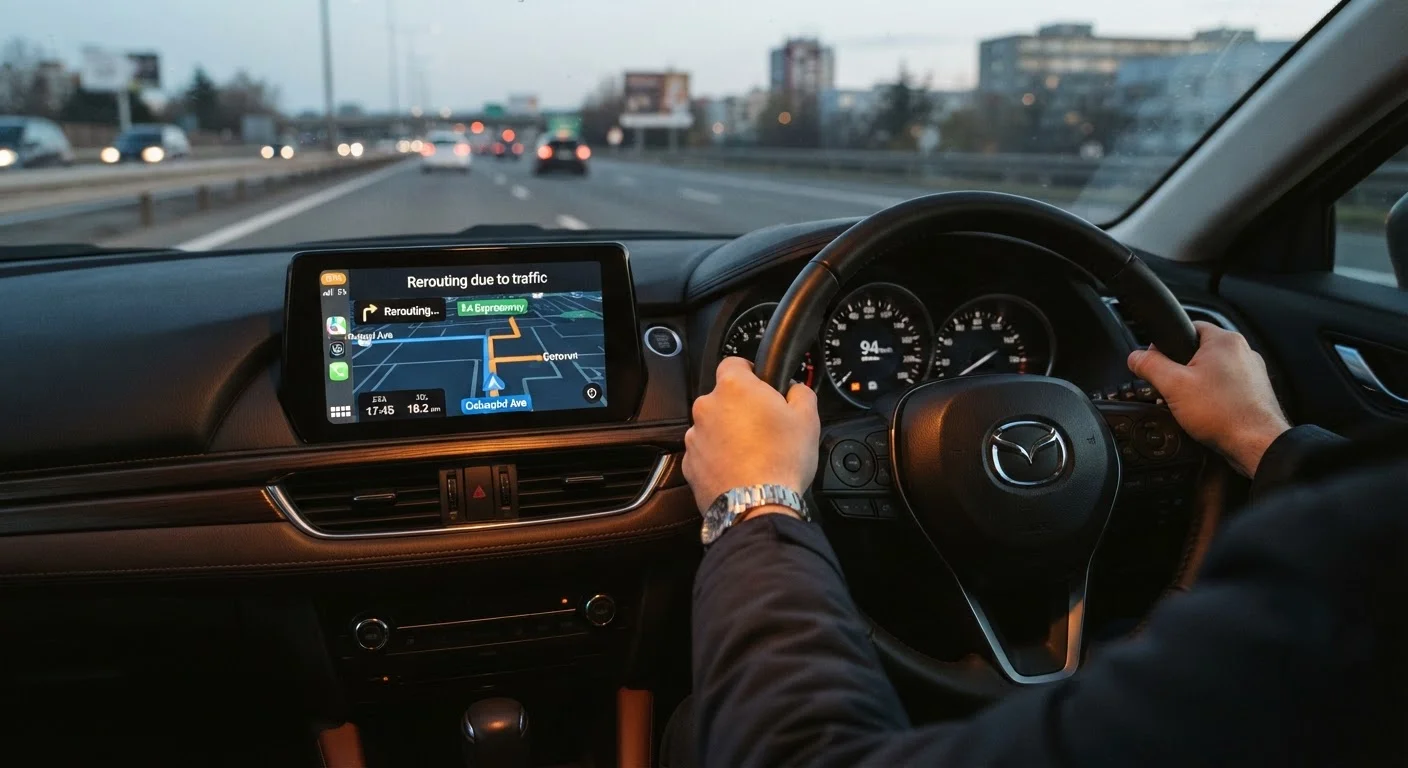
What Actually Triggers 'Recalculating'
Every GPS navigation system — whether a dedicated mounted unit or a smartphone app — works by comparing your real-time position to a planned route. The moment those two things don't match, the device announces it is recalculating. Understanding why they stop matching is the first step toward smoother navigation.
The most common trigger is a missed turn. If the GPS instructs you to turn right and you continue straight — intentionally or not — the device recognizes you are no longer on the planned path and immediately begins computing a new route from your current location.
A second frequent cause is a weak or interrupted satellite signal. GPS devices depend on signals from multiple satellites orbiting Earth. Tall buildings, dense tree cover, tunnels, and even heavy cloud cover can temporarily block those signals. When the device loses accurate position data, it may misplace you on the map and trigger a reroute once the signal returns.
Third, outdated maps can create a mismatch between what the GPS expects and what the road actually looks like. If a road has been rerouted, a lane added, or a new one-way rule introduced since the maps were last updated, the GPS may route you somewhere that conflicts with real signage — and then recalculate when you follow the actual road.
Recalculating Is Not the Same as Being Lost
A GPS that says 'Recalculating' always knows where you are — it is simply updating the directions forward. The device has not lost your location; it has detected a change in your path and is computing a new set of instructions. Your destination remains programmed throughout.
Simple Habits That Reduce Recalculating
Most recalculation problems respond well to straightforward habits. None of these require technical expertise — they are adjustments any driver can make before or during a trip.
- Enter your destination before you pull out of the driveway. A GPS that has already planned the full route before you move is less likely to misread your starting position. Our pre-trip tech checklist walks through exactly this kind of preparation.
- Position your device where it can see the sky. Mounting a GPS near the windshield center, rather than behind a metal frame or tinted section, gives it the clearest access to satellite signals. See our GPS setup guide for mounting advice.
- Update your maps regularly. Both dedicated GPS units and phone apps offer map updates. On a dedicated device, check the manufacturer's companion software every few months. Phone apps typically update automatically when connected to Wi-Fi.
- Listen for the instruction early. GPS devices usually announce an upcoming turn with enough warning to prepare. Listening to the full instruction — rather than waiting to see the screen — gives you more time to respond calmly.
Update Maps Before a Long Trip
If you are planning a drive to an unfamiliar area, check for map updates the day before you leave — not the morning of. Updates on dedicated GPS units can take time to download and install, and a fully updated device is far less likely to misread roads along the way.
When Recalculating Is Actually Helpful
It is worth reframing recalculating as a feature, not a failure. If you intentionally take a different road — perhaps to stop for fuel or avoid unexpected traffic — the GPS adapts without requiring you to reprogram your destination. That adaptability is precisely what makes navigation technology useful.
Drivers who are new to GPS devices sometimes feel anxious when they hear the recalculating prompt, assuming they have done something wrong. In most cases, the device is simply doing its job. For a broader look at how GPS navigation works and what to expect from it, our article on GPS navigation for drivers who didn't grow up with smartphones covers the fundamentals clearly.
If recalculation is happening so frequently that it becomes distracting, that is worth investigating. But an occasional recalculate — especially after a lane change or an unexpected detour — is a sign the system is working as designed.
24–32
Satellites in the GPS constellation
The U.S. GPS system, operated by the Space Force, maintains at least 24 operational satellites, with additional spares, to provide global positioning coverage.
~15 sec
Typical recalculation time
Most modern GPS devices and navigation apps complete a recalculation within roughly 10–20 seconds of detecting a route deviation, depending on processing speed and data connection.
Understanding whether a dedicated device or a phone app better suits your habits can also reduce frustration. The two systems handle signal loss and map updates differently, which our comparison of mounted GPS devices vs. phone navigation apps explains in practical terms.
Frequently Asked Questions
Frequent recalculating usually points to a solvable issue rather than a broken device. Common culprits include missed turns, outdated maps, or poor satellite signal. Addressing these usually reduces how often it happens.
This can happen if your maps are outdated and don't reflect recent road changes, or if the GPS signal is temporarily weak. A brief satellite signal drop can cause the device to misread your position and trigger a reroute.
On phone-based navigation apps that rely on live data, frequent recalculation can use slightly more mobile data and battery. Dedicated GPS units that store maps locally are less affected by this.
Most navigation systems allow you to add waypoints or use a 'avoid this road' option to guide the device along your preferred path. Check your device's route options menu for these settings.
Yes. If your device's maps don't reflect current roads — such as new construction or changed one-way streets — the GPS may route you onto roads that no longer exist as mapped, triggering a recalculation when you follow actual signage instead.
The content on this site is for informational purposes only and is not a substitute for professional advice. Always consult a qualified professional for guidance specific to your situation.