

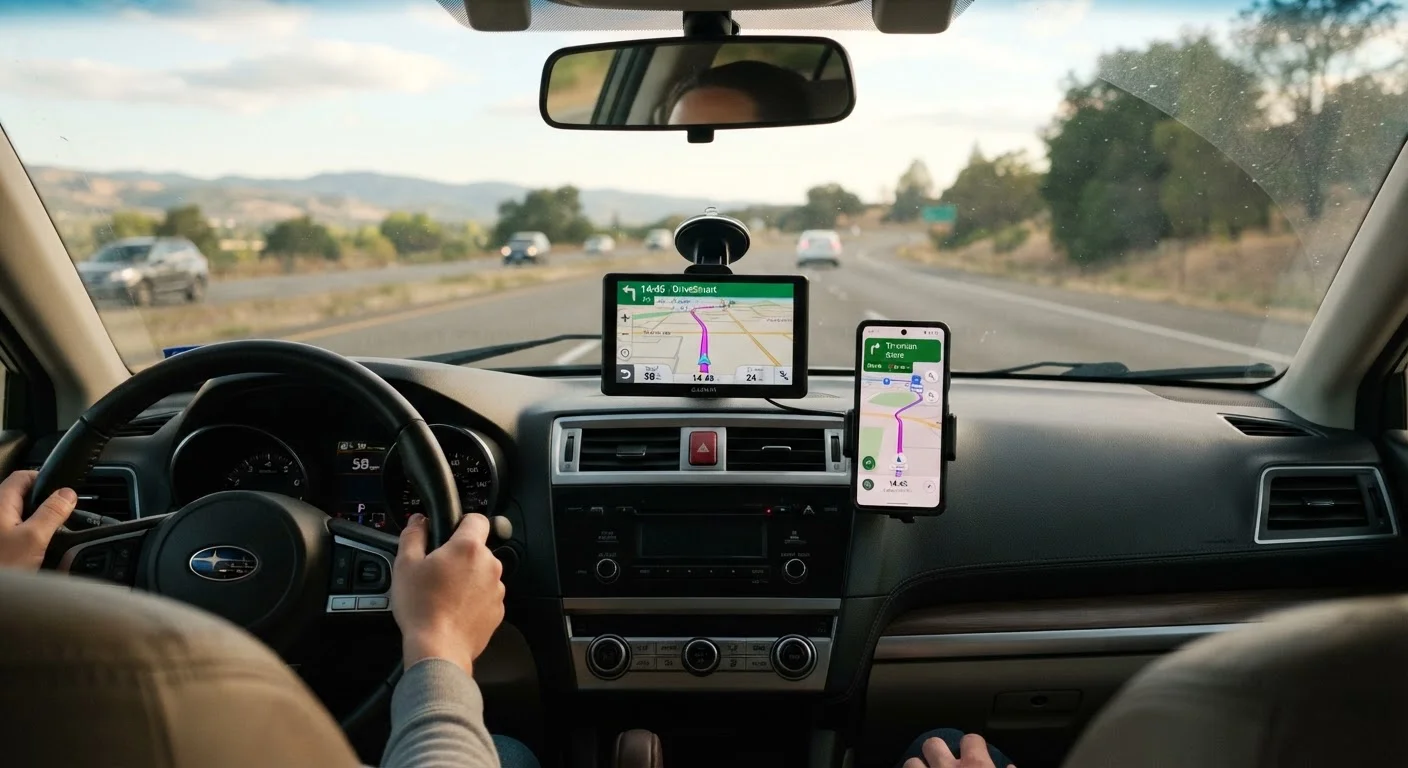
Option A
Mounted GPS Device
The dedicated, distraction-minimizing navigation unit.
Best for: Drivers who want a simple, always-ready device that works independently of a smartphone.
Option B
Phone Navigation App
The flexible, frequently updated software option.
Best for: Drivers already comfortable using a smartphone and who prefer a single device for multiple tasks.
How Each Tool Actually Works
Before comparing the two options, it helps to understand what each one is doing under the hood. A mounted GPS device is a standalone unit — typically clipped or suctioned to your windshield or dashboard — that receives positioning signals from satellites and guides you using maps stored directly on the device. It does not need your phone or a cellular data connection to function.
A phone navigation app, by contrast, runs on your existing smartphone and uses both satellite positioning and your mobile internet connection. Apps like these typically stream map data in real time, which is why they can show current traffic conditions and road changes almost instantly. For a plain-language explanation of terms like live traffic and offline maps, see what live traffic and offline maps actually mean.
Understanding this distinction matters because it shapes everything from how you set up the device to how it behaves when you lose signal on a country road.
| Criterion | Mounted GPS Device | Phone Navigation App |
|---|---|---|
| Requires smartphone | No | Yes |
| Requires mobile data | No (maps stored onboard) | Usually yes (offline mode available) |
| Map update frequency | Periodic, may cost extra | Frequent, often automatic |
| Screen size | Typically 5–7 inches | Varies by phone model |
| Interface simplicity | Purpose-built, fewer distractions | Shares screen with other apps |
| Battery dependency | Plugs into car power | Drains phone battery |
| Initial cost | Upfront hardware purchase | Often free (app download) |
| Traffic data | May require separate subscription | Usually included via data connection |
Screen Size, Voice Guidance, and Ease of Use
For many older drivers, the most important question is simply: which one is easier to see and hear while I'm driving? Dedicated GPS units are purpose-built for the car. Their screens are usually larger — commonly five to seven inches — and their interfaces tend to have fewer distractions. Text is often displayed in a larger font, and the voice prompts are designed to give clear, advance notice of upcoming turns.
Phone navigation apps display on whatever screen size your phone happens to have, which may be smaller or harder to read at a glance. Mounting the phone in a dashboard or windshield holder helps, but the screen is shared with other notifications and apps. Some drivers find this adds visual clutter. Others adapt easily, particularly if they already use their phone regularly.
Voice guidance quality can vary with both options. The key is to set the volume before you leave home — not while driving — and to choose a voice prompt setting that announces turns with enough lead time for you to react comfortably. If you'd like to explore how the physical design of GPS controls affects usability, touchscreen vs. button-controlled GPS units covers that comparison in detail.
65+
Age group most likely to prefer dedicated GPS
Survey data from AARP has indicated that older adults often favour devices with larger displays and simpler dedicated interfaces for in-car navigation.
~40%
Smartphone users who rely on navigation apps weekly
Pew Research Center data suggests a substantial share of US smartphone owners use mapping or navigation apps on a regular basis.
Reliability, Updates, and Running Costs
One of the most common concerns drivers have is: will this still work when I need it? Dedicated GPS devices store their maps internally, which means they work even without any mobile signal — useful in rural areas or places with patchy coverage. The trade-off is that map updates need to be applied manually, sometimes for a fee, and may happen less frequently than app updates.
Phone navigation apps, in contrast, tend to update their maps automatically and at no additional charge. This means road changes, new streets, and updated points of interest reach you sooner. However, if your phone battery is low or you're in an area with no mobile data, a streaming-dependent app may struggle. Downloading offline maps in advance — a feature most major apps offer — can reduce this risk.
Neither option is unconditionally reliable; each has predictable weak points. The practical approach is to choose the one whose limitations align least with your typical driving situations. For a broader look at how GPS technology works and what to realistically expect, GPS navigation for drivers who didn't grow up with smartphones is a helpful starting point.
This article provides general informational guidance only and does not constitute personalised technology or purchasing advice. Specific product features, availability, and pricing vary and should be verified directly with manufacturers or retailers.
The content on this site is for informational purposes only and is not a substitute for professional advice. Always consult a qualified professional for guidance specific to your situation.